
Navigation made for Canada
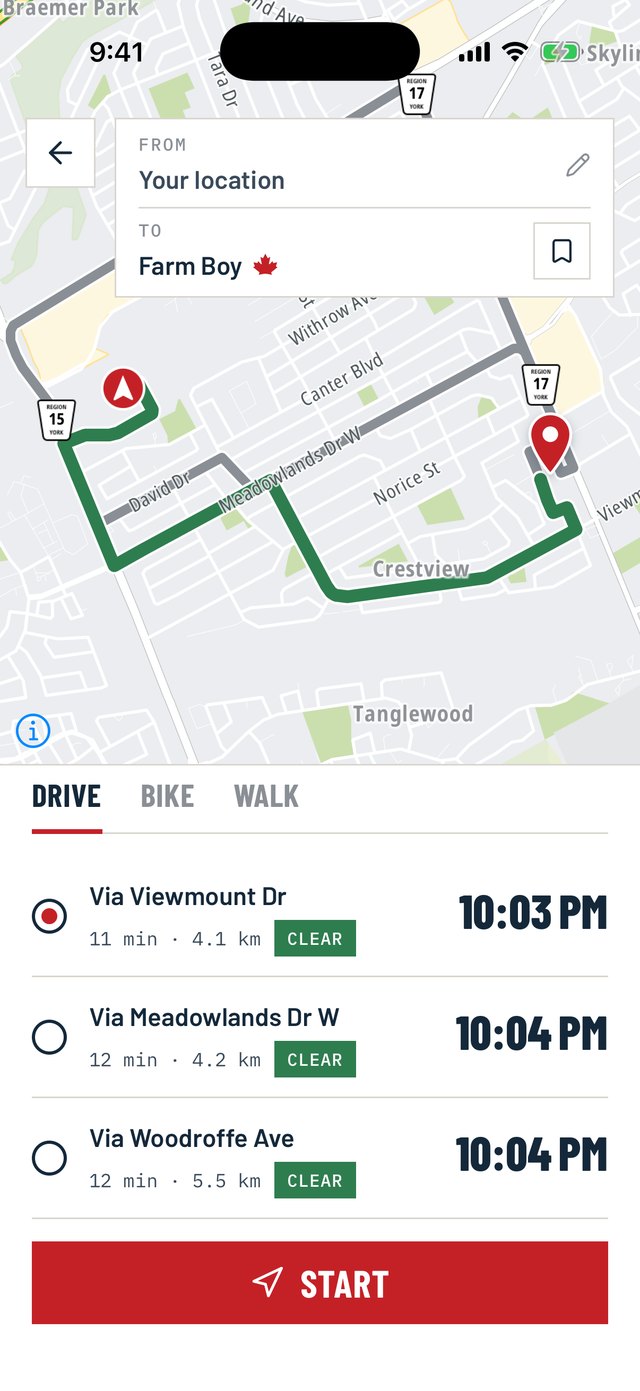
Turn-by-turn directions in your language, live traffic and closures, a maple leaf on Canadian-owned businesses, no account and no history of where you've been. Practical first, proud second.
Own a local shop? Claim it.
Claim your listing and keep its hours, phone, website and pin yourself. It is free, drivers see a verified mark beside the LOCAL badge, and if your city is not on our list yet, you start it.
A maple leaf on the map
Search results carry a maple leaf when the business is Canadian-owned. A solid leaf means we confirmed the ownership; a hollow leaf means Canadian roots but control that is foreign, mixed or unconfirmed. Almost 600 brands, each with a source, and you can turn it off.
Bilingual by design
The app speaks your phone's language, English or French. Both were written from the first day rather than translated in afterwards, so neither one reads like an afterthought. The search box is the one place that stays bilingual, so you can type in either language without switching anything.
Traffic, closures, speed limits
Snow on the 400? You'll know before you're on it. Your route is drawn in green, with the slow stretches in yellow and closures in red, so a glance tells you where the trouble is.
Is it even open?
Tap a search result to see the place before you commit to driving there: opening hours for the week, whether it is open right now, wheelchair access, drive-thru, patio, Wi-Fi, phone and website. Or skip it and go straight to directions.
Find a plug, not a pin
One tap finds gas, charging or parking around you rather than anywhere with a matching name. Charging stations list what they actually offer, down to the connector type and the kilowatts.
No account, no history
No sign-up to use the app. Saved places live on your phone, and the service runs in Montréal on a Canadian data centre.
Where we're at
-
News
Two questions the app will ask you once
The next build asks you two things: whether the app may share how fast the traffic around you is moving, and whether it may report turns that construction has closed. Both are off until you say yes, both send counts rather than trips, and here is exactly what each one does and does not send. I did not want to ask. The routes are not good enough without it.
-
Shipped
A million more businesses, and two ways to tell us what the map got wrong
1.4 million businesses on the map instead of 630,000, a Report a problem and Suggest an edit button on every card, a pin you can drop where a missing place really is, Large Text Mode for small screens, spoken directions that stop stuttering over CarPlay, a new icon, and two things you can switch on to help other drivers — blocked turns and how fast the road is moving, both anonymous and both off unless you say yes.
-
News
Three roads, and the closure the map could see but I could not
A trip to Costco gave me one route, a nineteen-kilometre loop, when I knew a shorter road. Chasing that one screen turned into a rule for how many routes you get, how different they have to be, and why a long drive is judged differently from a short one.
-
Shipped
Version 1.0: transit, and the trip on your lock screen
The first build with a 1 in front. Transit across Canada with real-time arrivals, a trip that lives on the lock screen and in the Dynamic Island, guidance that keeps coming on Android with the screen off, every house in the country in search, a French voice named Céline, an icon for every place search finds, and the fixes from two weeks of your mail — listed one by one.
- All release notes → All news →
The beta is open
Testing is under way on iPhone and Android, and anyone can join now.
On Android, open the Maple Maps testing page on Google Play on your phone and tap to become a tester.
On iPhone, install TestFlight from the App Store first, then open the Maple Maps TestFlight link on the same phone.
To hear about each new build, leave your email. Unsubscribe any time.